
Did you know that, according to a 2024 LinkedIn report, professionals with an online portfolio are 42% more likely to get hired or win freelance clients than those without one? In a digital-first economy, your professional portfolio website is your 24/7 salesperson. It works while you sleep, pitches while you rest, and converts while you are busy learning new skills.
Whether you are a student, a fresh graduate, or a beginner freelancer in Pakistan, building a professional portfolio website is no longer optional. It is your ticket to standing out in a competitive market. The good news? You do not need thousands of rupees or years of coding experience. Free tools like Canva and WordPress make it incredibly simple.
In this complete guide, you will learn everything about how to build a professional portfolio website step by step. From choosing the right platform to writing compelling content, designing your pages, and publishing your work online, this tutorial covers it all. If you have been looking for a beginner-friendly, actionable guide tailored specifically for Pakistan, you are in the right place. Let’s also check out the fantastic free courses available at letsuncover.pk that can help you launch your freelancing journey faster.
Table of Contents
- What Is a Professional Portfolio Website and Why You Need One
- Best Free Tools to Build a Professional Portfolio Website
- How to Build a Professional Portfolio Website Using Canva (Step-by-Step)
- How to Set Up a Free WordPress Portfolio Website
- What to Include on Your Professional Portfolio Website
- Design Tips to Make Your Portfolio Website Stand Out
- How to Publish and Promote Your Professional Portfolio Website
- Conclusion
- Frequently Asked Questions
What Is a Professional Portfolio Website and Why You Need One

A professional portfolio website is a personal online space where you display your skills, past work, achievements, and contact information to potential clients or employers. It acts as your digital CV, your online resume, and your personal brand all in one place.
In 2026, having a portfolio website is especially critical for Pakistani freelancers, students, and job seekers. The freelancing industry in Pakistan has grown significantly, with over 1.5 million active freelancers registered on international platforms as of 2025. Standing out in this space requires more than just a Fiverr gig. It requires a credible, professional online presence.
Why Your Online CV Portfolio Website Matters
An online CV portfolio website gives clients instant proof of your abilities. Rather than reading a plain resume, a client can browse your actual work samples, see your design style, read client testimonials, and contact you all in one place. This builds trust far faster than any paper CV.
Think of it this way: two freelancers bid on the same Upwork project. One has a LinkedIn profile. The other has a beautifully designed portfolio website with case studies and testimonials. Who do you think wins the contract?
Who Needs a Portfolio Website in Pakistan
- Graphic designers who want to showcase logo and branding projects
- Writers and bloggers seeking content writing clients
- Web developers who want to display their coding projects
- Students and fresh graduates who need an alternative to a blank resume
- Digital marketers managing Facebook Ads and SEO campaigns
- Freelancers on Fiverr and Upwork who want to build external credibility
If you fall into any of these categories, a portfolio website for beginners in Pakistan is your most powerful first step in 2026.
Best Free Tools to Build a Professional Portfolio Website
The best news for Pakistani freelancers is that you do not need to spend a single rupee to create a stunning professional portfolio website.
Here are the top free website builders available right now.
Comparison Table: Best Free Portfolio Website Builders
| Platform | Ease of Use | Free Plan | Custom Domain | Best For |
| Canva | Very Easy | Yes | Paid only | Designers, beginners |
| WordPress.com | Moderate | Yes | Paid upgrade | Bloggers, freelancers |
| Wix | Easy | Yes | Paid only | Small business portfolios |
| Google Sites | Very Easy | Yes | No | Students, simple CVs |
| Behance | Easy | Yes | No | Creative professionals |
Canva: The Easiest Free Portfolio Website for Beginners
Canva is best known as a graphic design tool, but in recent years, it has launched a fully functional website builder. With drag-and-drop simplicity, beautiful templates, and zero coding knowledge required, Canva is the top recommendation for anyone who wants to create a portfolio using Canva for free.
Canva offers a free personal website builder with hosting included. You can publish your portfolio website under a Canva subdomain (yourname.my.canva.site) at no cost. For a custom domain, you will need to upgrade to Canva Pro.
WordPress: The Most Powerful Free Portfolio Setup
WordPress free portfolio setup is perfect for those who want more control and scalability. WordPress powers over 43% of all websites globally, according to W3Techs 2025 data, making it the most trusted platform in the world.
With WordPress.com, you can get free hosting for your portfolio website along with professional themes and a clean layout. While some advanced features require payment, the free plan is more than enough to build a beautiful, fully functional freelance profile.
LetsUncover.pk: Free WordPress Website Setup Portfolio, Digital Products & Agency Sites
Want a professional website but don’t know where to start? LetsUncover.pk has you covered. Whether you need a freelance portfolio, a digital product store, or a full agency website, the LetsUncover team builds it for you using WordPress on Hostinger, one of the fastest and most affordable hosting platforms available in Pakistan.
What You Get with LetsUncover’s WordPress Setup Service
- A fully designed and functional WordPress website ready to launch
- Choice of site type: freelance portfolio, digital product store, or agency website
- Mobile-responsive design optimized for Pakistani audiences
- Basic SEO setup with RankMath or Yoast plugin pre-configured
- Essential plugins installed: contact forms, speed optimization, security
- Custom homepage, about page, services/products page, and contact page
How to Get Started: Use Your LetsUncover Coupon Code at Hostinger
Getting your WordPress website is straightforward with the exclusive LetsUncover discount at Hostinger:
- Visit Hostinger through the LetsUncover affiliate link to unlock special pricing.
- Apply your LetsUncover coupon code at checkout for an additional exclusive discount.
- Choose a hosting plan (Premium or Business recommended for best performance).
- Complete your purchase at Hostinger.
- Share your hosting details with the LetsUncover team: they handle the rest.
| Website Type | Best For | Ideal Plan |
| Freelance Portfolio | Fiverr/Upwork freelancers showcasing work | Hostinger Premium |
| Digital Product Store | Selling courses, templates, or digital downloads | Hostinger Business |
| Agency Website | Teams offering marketing, design, or dev services | Hostinger Business |
Learn WordPress Yourself: Free Course on LetsUncover
Prefer to build and manage your own website? LetsUncover.pk offers a free WordPress beginners course that teaches you everything from installing WordPress to creating pages, customizing themes, and publishing your first post. This is the perfect companion resource for this blog.
How to Build a Professional Portfolio Website Using Canva (Step-by-Step)
A Canva portfolio website tutorial is one of the most searched topics among beginner freelancers in Pakistan. Here is a complete, beginner-friendly walkthrough to get your professional portfolio website live today.
Step 1: Sign Up for a Free Canva Account
Go to canva.com and sign up using your Gmail or Facebook account. The free plan gives you access to thousands of templates, drag-and-drop design tools, and the website builder feature at no cost.
Step 2: Choose a Portfolio Website Template
In the Canva search bar, type “Portfolio Website” to browse available templates. Choose a layout that matches your field. Graphic designers should choose visual-heavy templates. Writers may prefer clean, text-focused designs. Canva offers templates specifically for freelancers, students, and job seekers.
Tip: Look for templates labeled “Personal Portfolio” or “Freelance Portfolio” for the most relevant starting point.
Step 3: Customize Your Portfolio Design
This is where your visual identity comes to life. Replace placeholder text with your real information. Upload your work samples, profile photo, and any logos or branding elements. Customize colors and fonts to match your personal style.
Key sections to include in your Canva portfolio website tutorial setup:
- A hero section with your name, role (e.g., Graphic Designer | Karachi), and a short tagline
- An About Me section with a brief professional introduction
- A Work or Projects section showcasing 3 to 6 of your best samples
- A Skills or Services section listing what you offer
- A Contact section with your email and social media links
Step 4: Optimize for Mobile and Responsiveness
Canva automatically creates a responsive design, but always check the mobile preview before publishing. A responsive design ensures your portfolio looks great on both a laptop and a smartphone. Since a large portion of Pakistani internet users browse on mobile, this step is critical.
Step 5: Publish Your Canva Portfolio Website for Free
Click the “Publish” button in the top right corner. Select “Publish as Website” and choose your subdomain name. Your free portfolio website for freelancers will go live immediately at your chosen Canva URL. Share this link in your Fiverr bio, Upwork profile, WhatsApp business card, and email signature.
How to Set Up a Free WordPress Portfolio Website
If you want a more robust and scalable solution, a free WordPress portfolio setup is the way to go. WordPress gives you far more customization power than Canva and is the preferred platform for serious freelancers. Here is how to build a professional portfolio website on WordPress for free.
Step 1: Create a Free Account on WordPress.com
Go to wordpress.com and click “Start your website”. Enter your email, username, and password. WordPress will guide you through choosing a site name and selecting a theme. On the free plan, your website will be available at yourname.wordpress.com.
Step 2: Choose a Portfolio Theme
WordPress offers dozens of free themes designed specifically for portfolios. Search for themes like “Portfolio,” “Freelancer,” or “Creative” in the theme directory. Popular free options include Astra, OceanWP, and the built-in Portfolio theme by WordPress.
Look for themes that offer a clean layout, good typography, and a project or gallery section. These are the foundations of a strong freelance profile.
Step 3: Add Pages to Your WordPress Portfolio Website
Use the WordPress dashboard to create the following essential pages:
- Home: A strong first impression with your name, tagline, and featured work
- About: Your professional story, skills, and background
- Portfolio or Work: Your best projects with descriptions and outcomes
- Services: What you offer and at what rate range
- Contact: A simple contact form so clients can reach you easily
Step 4: Install Essential Free Plugins
WordPress plugins extend the functionality of your website at no cost. For a professional portfolio, install these free plugins:
- Elementor: A drag-and-drop page builder that makes design easy
- Yoast SEO: Helps your portfolio rank on Google search results
- WPForms Lite: Creates beautiful contact forms for client inquiries
- Smush: Compresses your portfolio images for faster loading
For a detailed WordPress tutorial in Urdu, visit LetsUncover.pk WordPress Course section, where expert instructor Soban Tariq walks you through every step in simple language.
What to Include on Your Professional Portfolio Website
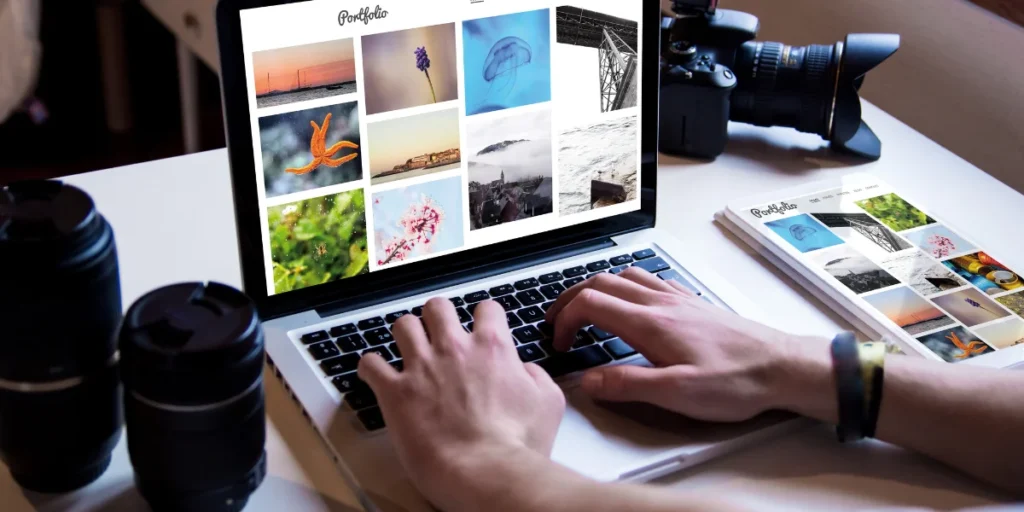
The structure and content of your professional portfolio website determine whether a visitor stays or leaves within seconds. Here is what every high-converting freelance portfolio website must include in 2026.
A Strong Professional Bio and Personal Branding Statement
Your bio is the first thing most clients read. Keep it short (2 to 3 sentences), focused on what you do, who you help, and what makes you different. Avoid generic statements like “I am a hard worker.” Instead, try: “I help Pakistani businesses grow online through strategic social media design and brand identity.”
Personal branding is at the heart of a great portfolio. Your visual identity, including your colors, fonts, and photography choices, should all communicate a consistent professional message. For deeper insights into personal branding strategy, Game of Branding is a valuable resource for Pakistani marketers and designers who want to build a memorable brand presence.
High-Quality Work Samples and Case Studies
Your work samples are the most important element of your portfolio design. Clients make decisions based on your past work, not your promises. Include 4 to 8 of your best projects. For each project, show a visual, write a short description, and whenever possible, include measurable results.
Example: “Designed a logo for a Lahore-based clothing brand. The new identity helped the client increase Instagram engagement by 35% in two months.” Real numbers build credibility fast.
If you are a student with no paid clients yet, create mock projects. Design a fake brand identity, write a sample blog post, or build a demo landing page. These still demonstrate your skills effectively.
Client Testimonials and Social Proof
Even one or two testimonials from a teacher, colleague, or early client can dramatically increase trust. Ask for a short quote mentioning your skill, reliability, and the results you helped achieve. Place these prominently on your home page or portfolio section.
A Clear and Simple Contact Section
Your portfolio must make it easy for clients to reach you. Include a contact form, your WhatsApp number (if comfortable sharing), your email address, and links to your Fiverr or Upwork profile. Remove any friction between a visiting client and your inbox.
Skills and Services Section
List your core services clearly. Use recognizable terms that clients search for, such as Graphic Design, WordPress Development, SEO Writing, Facebook Ads Management, or Video Editing. This also improves the user experience of your portfolio and helps search engines understand your website layout. To learn more about how to offer these services professionally, browse the courses at letsuncover.pk and explore the related articles on digital skills for Pakistani freelancers.
Design Tips to Make Your Professional Portfolio Website Stand Out
A great professional portfolio website is not just about having the right content. The design, layout, and user experience decide whether a potential client trusts you enough to reach out. Here are actionable design principles for building a standout portfolio website for beginners in Pakistan.
Keep Your Website Layout Clean and Simple
Resist the temptation to add too many elements, animations, and colors. A clean, minimal layout communicates professionalism and confidence. Use no more than two or three fonts and stick to a simple two-color palette. White space is your friend.
The most effective free personal website builder layouts use generous spacing, clear headings, and a logical content flow: Hero section, About, Work, Services, Testimonials, Contact.
Use Consistent Branding Throughout
Every page of your portfolio should feel like it belongs to the same brand. Your header color, button style, image tone, and typography must all be consistent. This consistency signals to clients that you pay attention to detail, which is especially important if you are offering design or marketing services.
Optimize Images for Fast Loading
Slow websites lose visitors quickly. According to Google, a one-second delay in page loading can reduce conversions by up to 7%. Before uploading images to your portfolio, compress them using a free tool like TinyPNG or the Smush plugin on WordPress. Aim for image file sizes under 100KB each.
Make Your Portfolio Mobile Friendly
Over 61% of web traffic in Pakistan comes from mobile devices, according to StatCounter 2025. This means your portfolio must look and work perfectly on a smartphone screen. Test your website on multiple devices before sharing it with clients.
Both Canva and WordPress provide responsive design options, but always manually check your portfolio on your own mobile phone after publishing.
How to Publish and Promote Your Professional Portfolio Website
Publishing your professional portfolio website is just the beginning. Promotion determines how many potential clients actually see your work. Here is a step-by-step approach to getting your portfolio in front of the right people in Pakistan.
Add Your Portfolio Link Everywhere
Once published, add your portfolio website link to:
- Your Fiverr and Upwork profiles in the description section
- Your LinkedIn headline and About section
- Your email signature
- Your WhatsApp status and business card
- Your Instagram and Facebook bio
Use SEO to Get Free Traffic to Your Portfolio
Search Engine Optimization (SEO) helps your portfolio appear in Google search results when clients search for services you offer. Use your job title in your page title (example: “Freelance Graphic Designer in Karachi”). Write a short meta description for each page. Add alt text to all images. Use your skill keywords naturally in your About and Services pages.
For a detailed beginner’s guide to SEO, check out the related article on letsuncover.pk which covers SEO basics tailored specifically for Pakistani freelancers.
Share on Social Media Consistently
Post your portfolio link on Facebook groups related to Pakistani freelancing. Share your projects on Instagram with relevant hashtags like #FreelancerPakistan, #GraphicDesignerPakistan, and #DigitalMarketingPakistan. Join LinkedIn and connect with business owners who may need your services.
Update Your Portfolio Regularly
A stale portfolio sends the wrong message. Add new projects every month. Update your skills section as you learn new tools. Remove outdated work that no longer represents your best quality. An active, regularly updated portfolio demonstrates that you are serious, growing, and engaged with your career.
| Building your professional portfolio website is a powerful first step, but your freelancing journey does not stop there. If you are serious about earning online in Pakistan, you need mentorship, community, and consistent learning. That is exactly what the Let’s Uncover YouTube Channel offers. With over hundreds of free tutorials on Fiverr, Upwork, digital marketing, AI tools, and more, it is your go-to resource for practical, real-world guidance from Soban Tariq, one of Pakistan’s most trusted digital skills mentors. Subscribe to the Let’s Uncover YouTube channel today, so you never miss a lesson, a strategy, or a shortcut that could transform your online income. |
Conclusion
Building a professional portfolio website in Pakistan is no longer a luxury; it is a necessity for anyone serious about earning online in 2026. Whether you choose the beginner-friendly Canva portfolio website tutorial route or the more powerful WordPress free portfolio setup path, both options give you a stunning, credible online presence at zero cost.
Here are your three key takeaways from this guide:
- You do not need money or coding skills: Free tools like Canva and WordPress make it possible for anyone to launch a professional portfolio website today.
- Content is as important as design: Strong work samples, a compelling bio, and clear services convert more visitors into paying clients.
- Promotion matters as much as publishing: Share your portfolio link everywhere, use basic SEO, and update it regularly to attract ongoing clients.
Start your professional portfolio website today and take the first step toward building a thriving freelancing career. Explore free courses and in-depth tutorials at letsuncover.pk to accelerate your journey, and consider enrolling in the Graphic Design or WordPress courses to sharpen the skills that make your portfolio truly shine.
FAQs
1. What is a professional portfolio website?
A professional portfolio website is an online platform where you display your skills, past work, and services to attract potential clients or employers. It acts as your digital resume and personal brand hub, available 24 hours a day.
2. How do I create a professional portfolio website for free in Pakistan?
You can create a free professional portfolio website using Canva or WordPress. Both platforms offer free hosting and templates. Canva is best for beginners, while WordPress is ideal for those who want more control and scalability over their online CV portfolio website.
3. Which is better for a portfolio website: Canva or WordPress?
Canva is better for speed and simplicity. You can publish a beautiful portfolio website in under two hours. WordPress offers more power, plugins, and SEO features, making it better for long-term growth and advanced customization. Choose based on your technical comfort level.
4. Do I need a domain name for my professional portfolio website?
You do not need a paid domain to launch your professional portfolio website. Free subdomains from Canva (yourname.my.canva.site) and WordPress (yourname.wordpress.com) work perfectly to start. A custom domain is recommended once you start earning clients, as it looks more professional.
5. What should a professional portfolio website include?
A complete professional portfolio website should include: a professional bio and personal branding statement, high-quality work samples or case studies, a skills and services section, client testimonials, and a simple contact section. These five elements ensure your portfolio converts visitors into clients.